Survey to report in one chat
From building the survey to analysis and the report — without moving data between tools.
If your analysis depends on a survey, does this sound familiar?
"Collect in Google Forms, analyse in SPSS, rebuild the tables in Word…"
Everyone does it, so it feels normal. But write the steps down one by one and there is a surprising amount of moving things around.
What happens when survey and analysis live apart
- Download the responses from the survey tool as a spreadsheet
- Recode "strongly agree" as 5, "disagree" as 2, and so on
- Rename every question as a variable
- Load it into SPSS and set value labels and measurement levels
- Recalculate the reverse-worded items
- Run the analysis and copy the output
- Rebuild the tables in Word
Worst of all, change a single question and you start over from step one.
Why is it such a hassle?
Simple: the tools are separate.
The survey tool knows the survey's structure (variables, scales, reverse items), but that is lost the moment you export, and in SPSS a person has to type it all back in. Every hand-off is a chance for a mistake, and the mistake goes straight into your results.
Checklist before you move data
If you stick with the current way, at least check these.
- Every answer has been turned into a number
- Variable names follow a pattern (sat_1, sat_2…)
- Value labels are attached (1 = strongly disagree…)
- Reverse items have been flipped
- Missing answers are blank, not 0
What if it all happened in one chat?
What if the survey and the analysis were connected from the start?
| Step | Survey and analysis apart | One chat |
|---|---|---|
| Build the survey | In a survey tool | Say it, get a draft |
| Recode answers · name variables | By hand in Excel or SPSS | The survey's structure stays with the responses |
| Reverse items | Recalculate | As marked when the survey was built |
| Tables | Rebuilt in Word | One report, as Word or PDF |
In Skari
The Skari AI home screen lays out the work in research order, from finding prior research to writing the report. Pick Survey design there, or just type what you want to do.
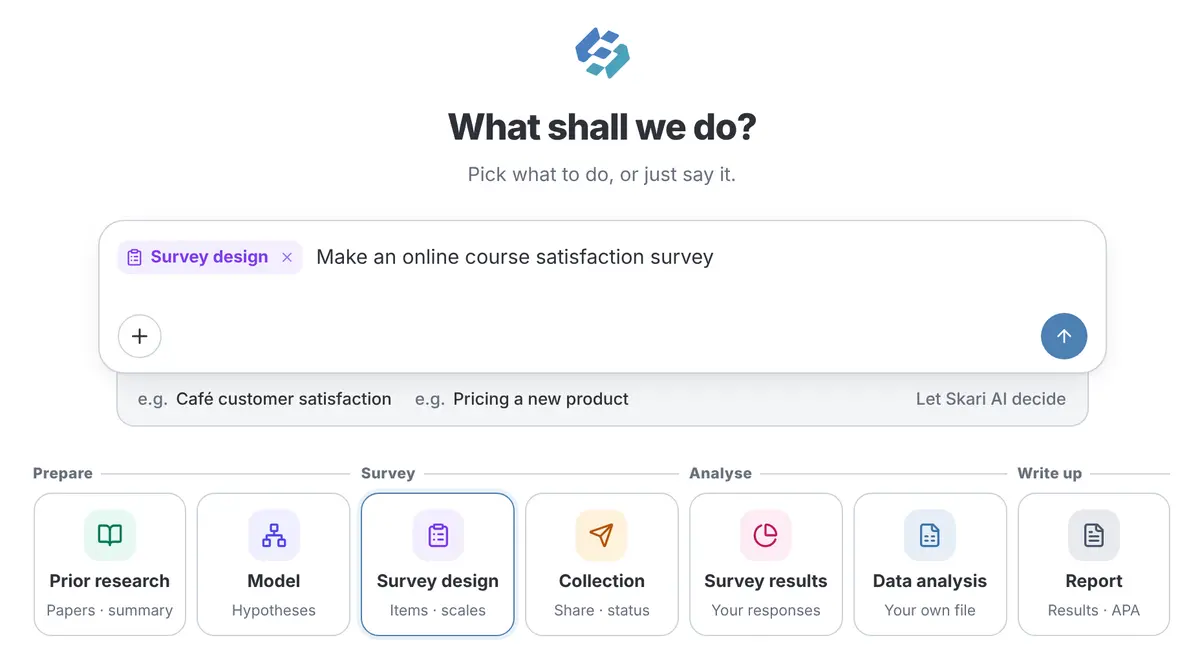
In Skari AI, just say it in the chat — "make an online course satisfaction survey" — and you get a draft.
Tell it the relationships you want to look at and it attaches items to each variable. Say what to change — "make it a 7-point scale" — and it changes.
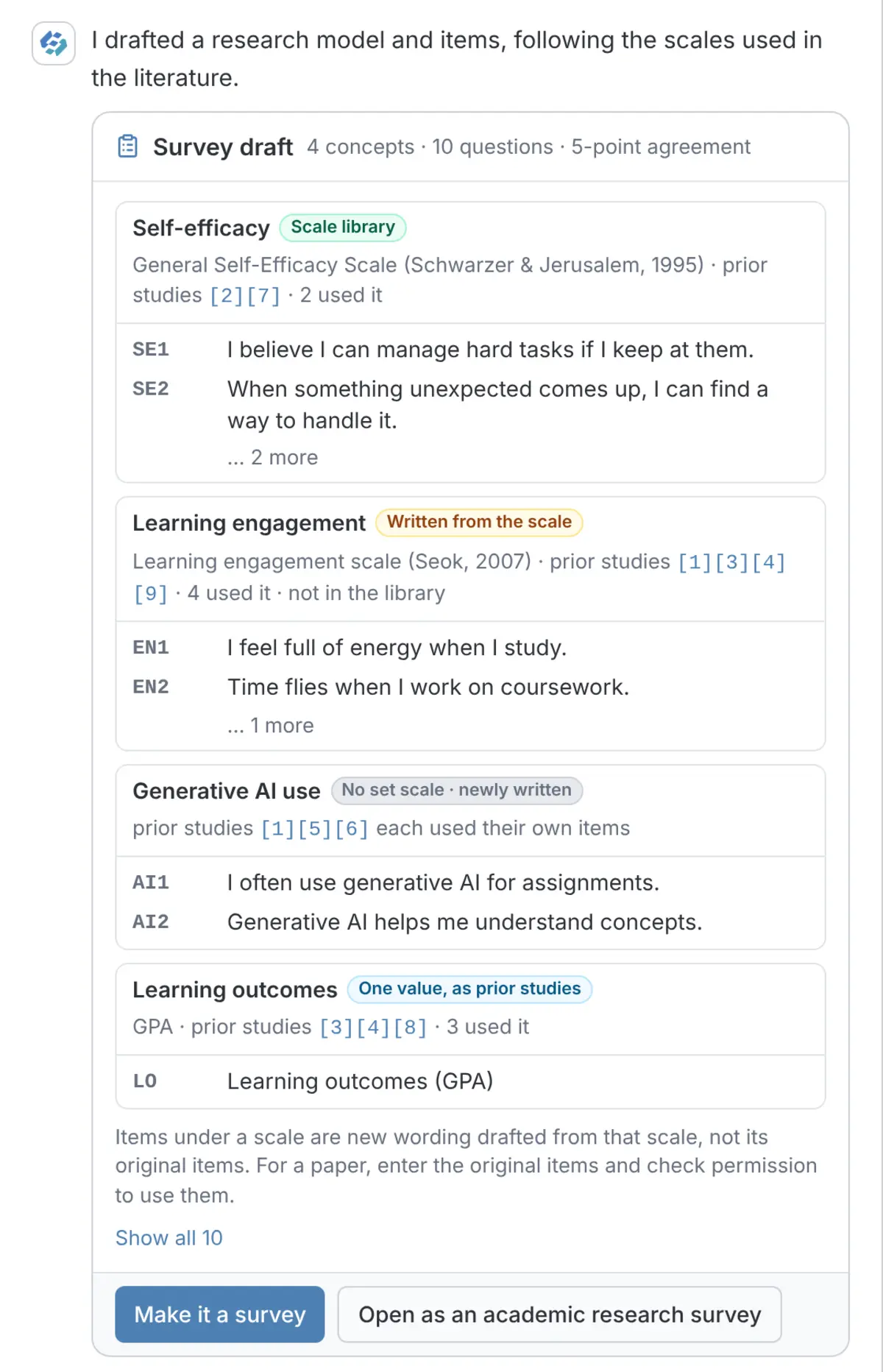
Press Make it a survey and it becomes a real survey, ready to share by link and QR code.
Build a survey by chatting
Pick Survey design in Skari AI
When responses are in, just say "analyse my survey responses" in the same chat.
The structure from when you built the survey (variables, scales, reverse items) stays attached to the responses, so there is no recoding or renaming. It also suggests analyses that fit the survey's structure.
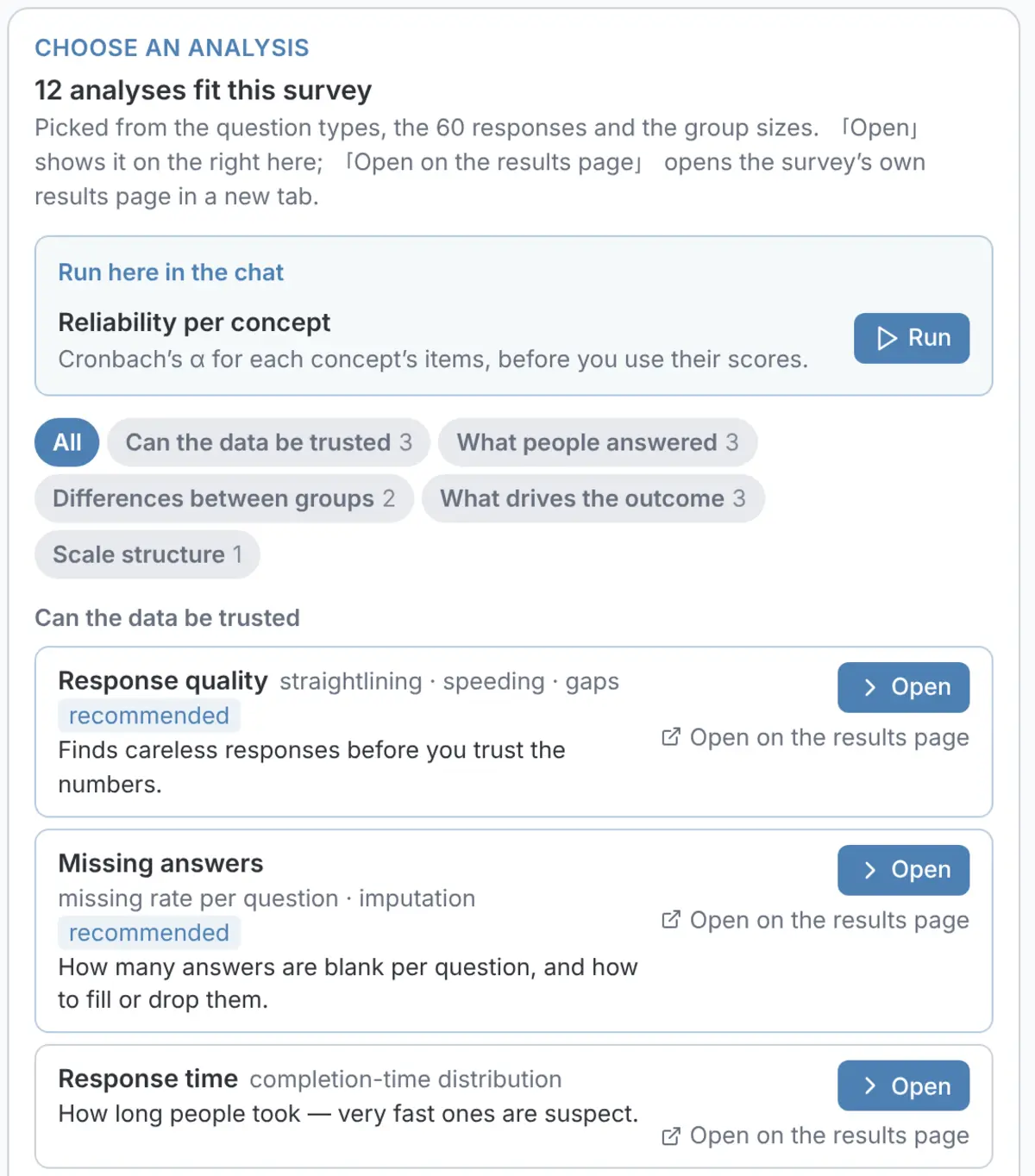
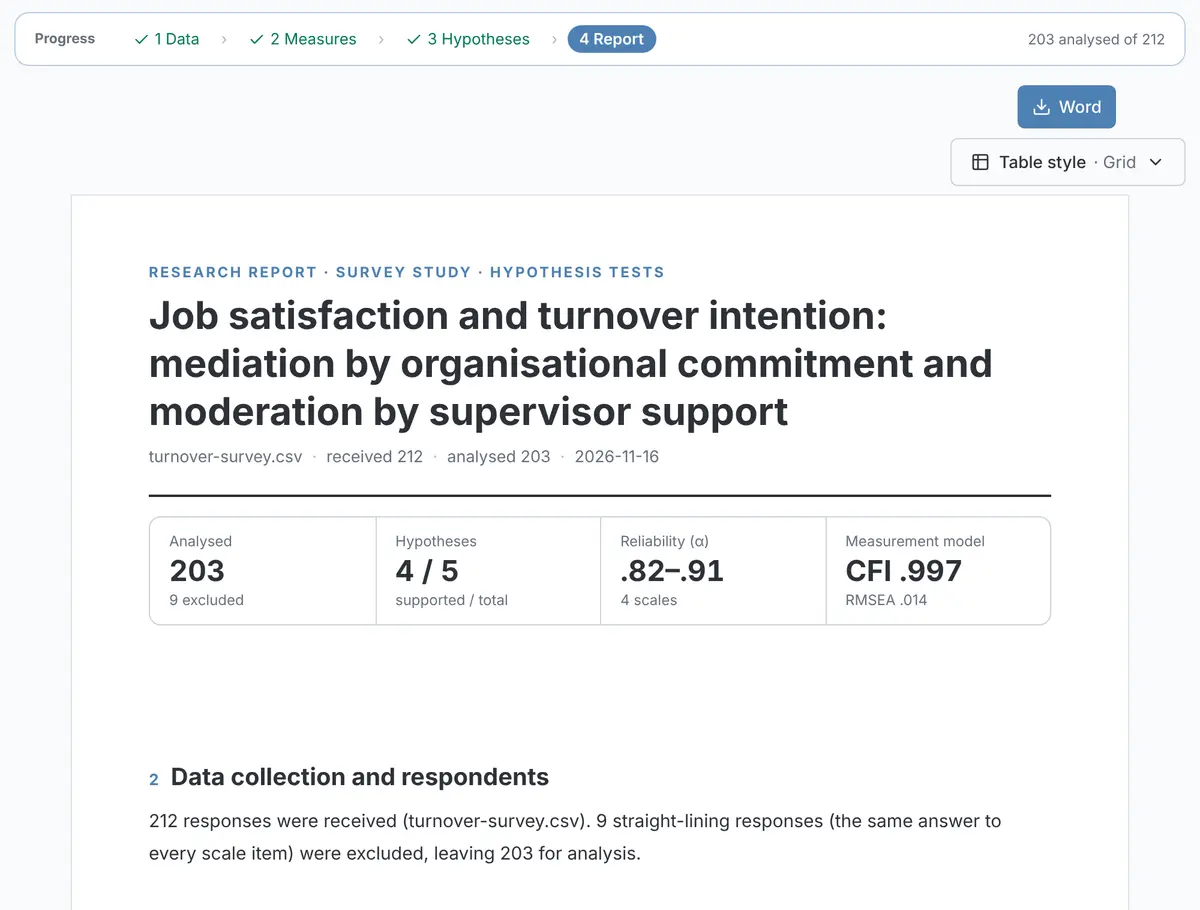
Results can be combined into a report and downloaded as Word or PDF, and saved to a project so the survey, responses, analysis and report sit in one place.
Want to keep using SPSS?
That is fine too.
- Upload your existing SPSS files (.sav) and analyse them as they are
- Export responses collected in Skari for SPSS (CSV plus a codebook)
Collect in Skari and analyse in SPSS, or bring your SPSS work over to Skari — either way works.
In survey research the biggest time sink is not the analysis but moving data between tools. Connect building, collecting, analysing and writing up in one chat, and the time you save goes into actually looking at your results.
Want the theory behind it?The Academy's test-selection guides go deeper into choosing the analysis that fits your survey →